
Bundles, quantity breaks and upsells for Shopify
Bigger orders, right on the product page.
SMART Bundles App & Upsells adds a bundle widget to your Shopify product pages: quantity breaks, Buy X get Y, complete-the-bundle kits, mix and match, and upsell add-ons. Free gifts add themselves to the cart, and cart discounts cover volume, order goals and shipping. It's free, with every feature included.
Free on the Shopify App Store · every feature included · support by chat or email
What it does
Bundle, gift and upsell offers, in one free app.
Quantity breaks
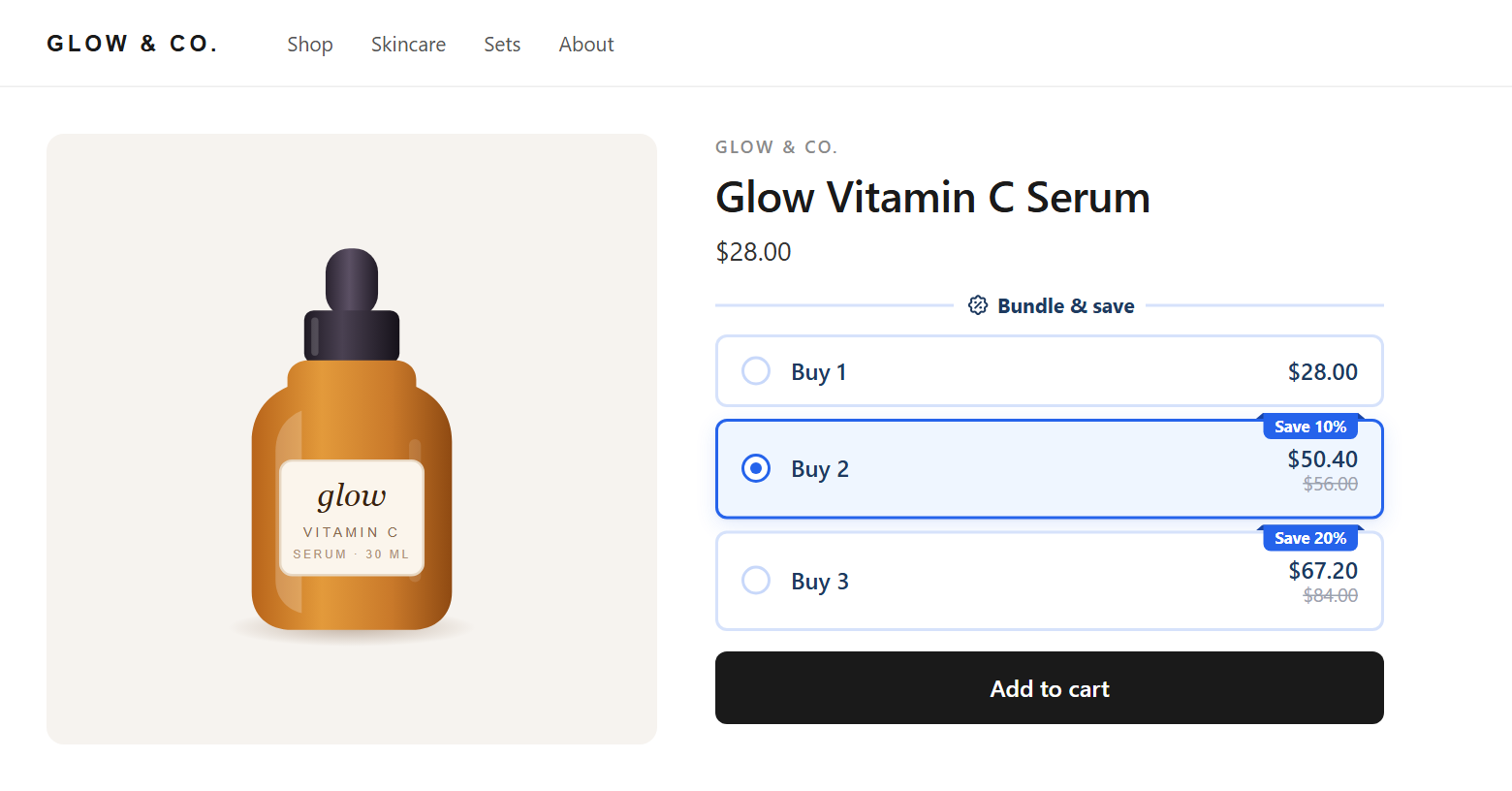
Buy 2, save 10%. Buy 3, save 20%. Tiers on the product page with the saving on each card.
Learn more →Mix and match
Any 2, 3 or 4 products for one deal. You pick the products, or let shoppers fill the slots.
Learn more →Complete the bundle
This product plus the ones that go with it, for one bundle price.
Learn more →Buy X, get Y and BOGO
Buy one, get one free, or buy 2 get 1, as widget offers or as a cart discount.
Learn more →Free gifts
A gift that adds itself to the cart when the cart qualifies, with up to 5 tiers.
Learn more →Upsells and extras
Upsell add-ons, progressive gifts, subscriptions, a countdown timer and a savings line.
Learn more →Cart discounts
Volume, Order goal, Shipping and Advanced discounts, automatic or with a code.
Learn more →Bundle templates
See each template the way shoppers see it, then start from the one that fits.
Browse templates →Mix and match
Any 2, 3 or 4, picked by the shopper.
Set tiers like any 2, 3 or 4 products for one deal. With Shoppers pick the products switched on, shoppers choose what goes in each slot right in the widget.
How it works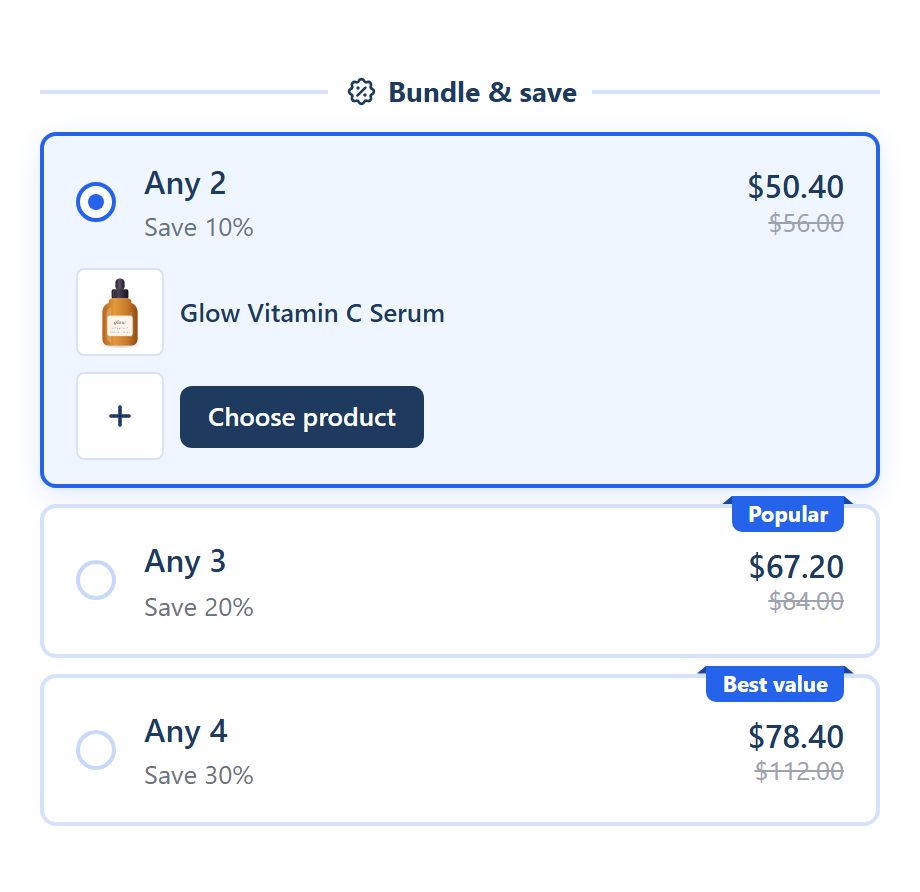
Free gifts
Gifts that add themselves.
Put a free gift on a bundle tier, or set up a Free gift that adds itself to the cart when the cart qualifies, from any page of your store.
How it works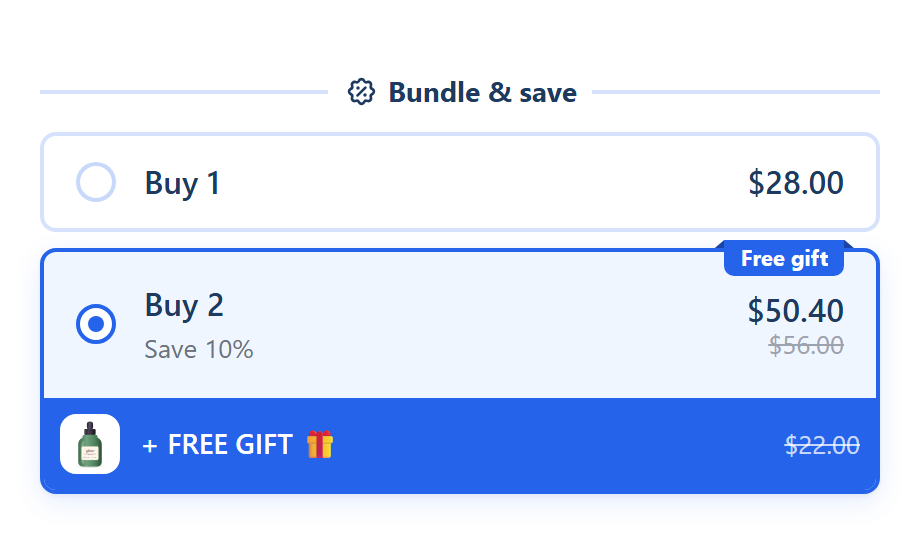
Extras
Countdowns, savings and add-ons.
Switch on a countdown timer, a You save line, upsell add-ons, progressive gifts, a Subscribe and save option or a sticky bar, bundle by bundle.
How it works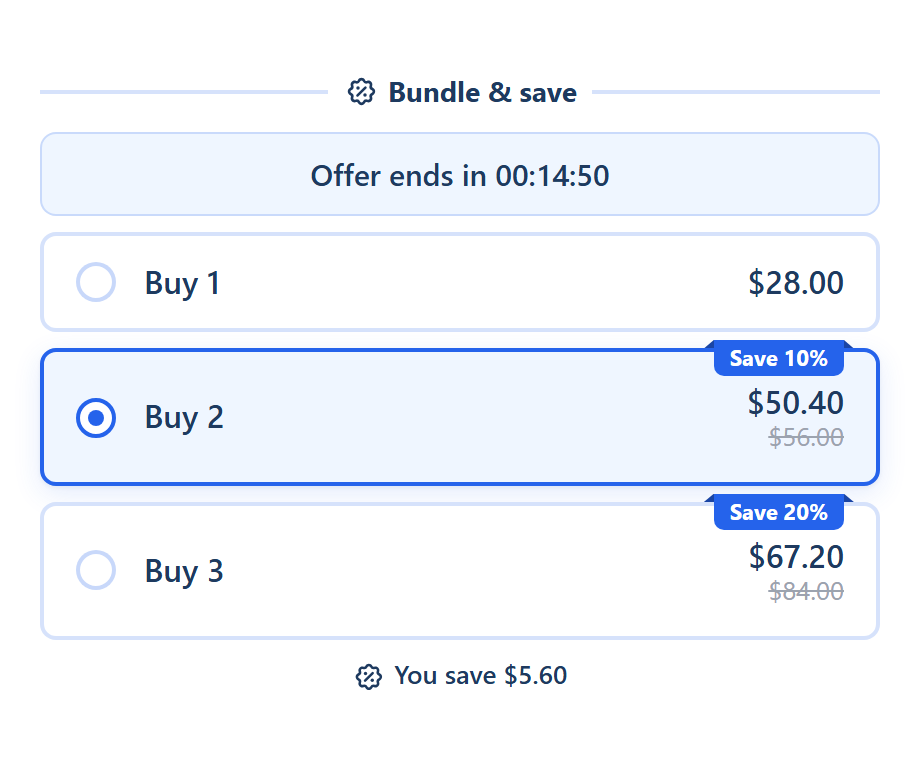
The editor
See every change before it's live.
Build offers on the left and watch the real widget update on the right, for any product, market and currency.
How it works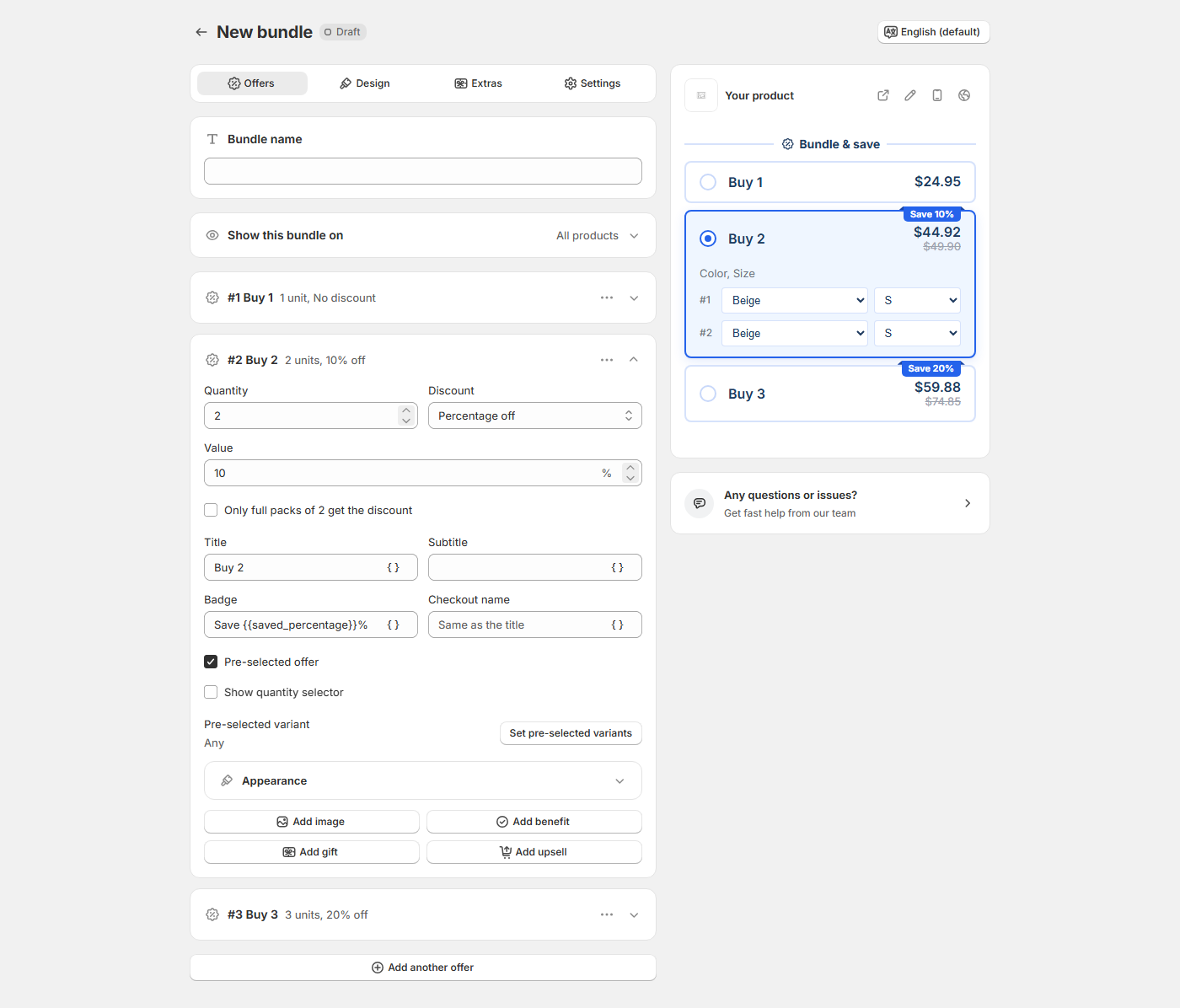
Setup
Live in three steps
- 1
Install the app
Install SMART Bundles from the Shopify App Store. In your Shopify admin it appears as SMART Discounts.
- 2
Turn on the app embed
In your theme editor, switch on the Deal widget app embed from SMART Discounts, so the widget can show on your product pages.
- 3
Pick a template and create
Choose one of the bundle templates, set your offers and design with the live preview, and click Create to put the bundle live.
Step by step: turn on the app embed and create your first bundle.
Guides
How discounts and bundles work on Shopify
- How to combine discounts on Shopify
- Shopify discount not applying: a checklist
- Shopify Bundles app: its limits, and when another app fits
- How to set up quantity breaks on Shopify
- Why Shopify's Buy X get Y doesn't add the free item to the cart
- How to run BOGO and "buy 2 get 1 free" on Shopify
More in the guides and the help center.
Comparing bundle apps?
Side by side with Shopify Bundles, Kaching, Fast Bundle, Easy Bundles, Pumper and Rapi, with sources and the date we checked.
Bundle discount calculator
Price your tiers: what each one earns per order, and the margin left after the discount.
What's new
Cart drawer, variant picker and link fixes. See every change in the changelog.
Give shoppers a reason to add one more.
Install SMART Bundles App & Upsells, pick a template, and your first bundle can be live on your product pages today.
Install free on ShopifyOn the Shopify App Store · free · uninstall anytime